Real-World Pivoting - Windows
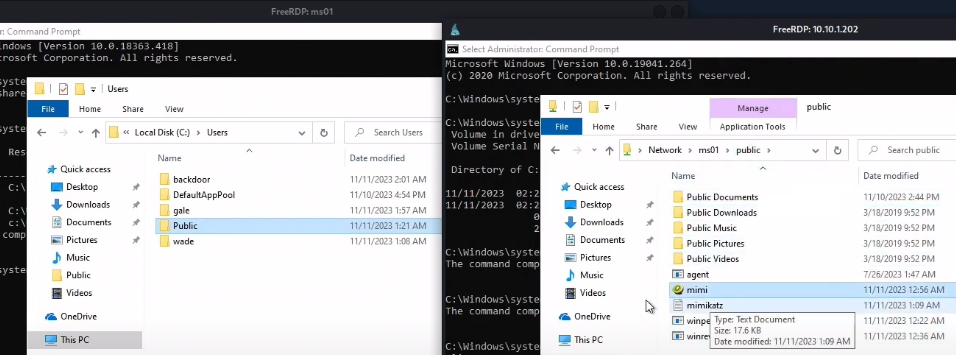
We need to dump creds on a Windows machine (MS02).
- We don't have permission to run Mimikatz on MS02 probably due to the Medium MIC level (there's other ways to attack this but if we have RDP access we can potentially access it)
- We already have Mimikatz staged on MS01.
- We can either pivot to MS02 via Ligolo/Chisel or connect to MS02 directly from MS01 (which is inside the domain).
- Or run Mimikatz from MS01, towards MS02, circumventing the need to pivot through MS01 to make a connection all the way from Kali to MS02.
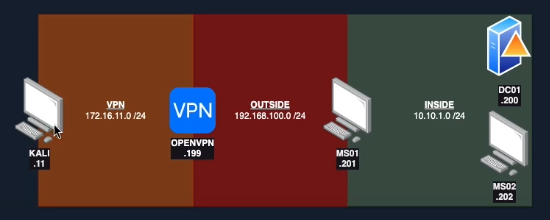
Modify C:\Users\Public for staging. Note this could be done through command prompt too. GUI isn't completely necessary.
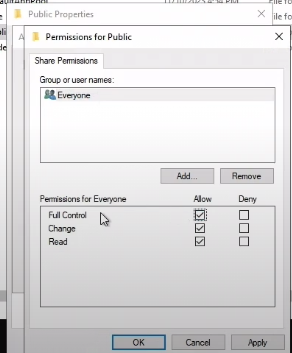
Then make the share public on MS01

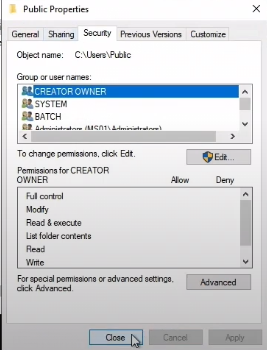
This will also require changing security permissions on Users\Public too. Essentially we need to add the local MS01 (everyone) account, giving read access.
properties > security >edit > add (locations=oscp.lab) (MS01) (Everyone)
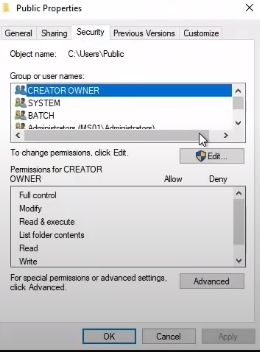
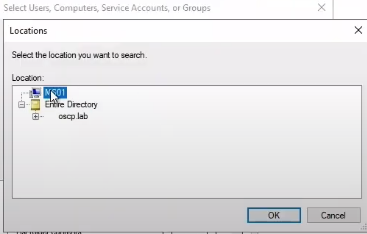
Note the permissions
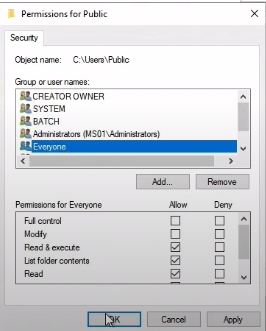
This lets us copy/paste from one share to another